 +91 9864624185
This site is best view in Google Chrome
+91 9864624185


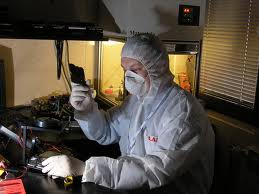
The only Data Recovery lab in Guwahati, well equipped with ACE Data Recovery tools and technologies.
If your hard drive/SSD/any data storage media is not working at all, partition missing, data deleted or formatted or asking format, unable to open any partition, drive is not detecting at all etc. now it's very crucial time for your data. Please be careful, data could be lost permanently at any time and you won't be able to retrieve the data from your drive at all. Don't panic and stop trying anything right now and read this article first.
Data from any storage media like external and internal Hard Disk, SSD, Memory Card, Pen Drive, DVR, CF Card could be recovered if you handle it carefully and wisely.
Warning!
Don't use any software to recover data if you don't know the exact and professional technique to recover data. Make a clone of your drive before trying anything. Don't tamper the drive to check or fix any internal component because you must have dust free Laminar Air Flow chamber to do it otherwise this step could lead to erase your data permanently. Don't try an error with your drive to get detected, it could make the drive permanently damage. Contact us for next..
- Don't:
- If it's SSD and just formatted immediately power off, disconnect and pulled it out from your PC, because the TRIM program has been activated to eras your data within 24 hours. So don't provide any power source to it.
- Do not disconnect the end of the data cable (SATA/ ATA Bus) connected with the Hard Disk.
- Do not try to connect your media with another motherboard/PC/laptop/USB connector and trying an error repeatedly.
- Do not scan with any antivirus if you are not sure about the cause of the data lost, it may erase your data permanently.
- Do not try an error manually by plugging and playing.
- Do not try any recovery software without knowing the after crash condition of the media, which may corrupt your data permanently.
- Do not open the internal or external HDA (Hard Disk Assembly).
- Do not keep the media in moist place and keep way from dust.
- Do not use ordinary brush to clean dust from the PCB of the media, it may damage the PCB or can erase the foot print of the cause of the data lost.
- Do
- If it's SSD and just formatted immediately power off, disconnect and pulled it out from your PC, because the TRIM program has been activated to eras your data within 24 hours. So don't provide any power source to it.
- Disconnect the data cable carefully and carefully disconnect your flash memory/pen drive from USB connector.
- Use hand pumped blower to remove the dust from PCB.
- Contact us immediately and talk to our experts, get the right time right solution.
Know more about Data Recovery from Memory Card, Pen drive etc.
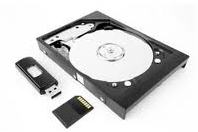
Do not connect the faulty pen drive or the memory card with your PC repeatedly, it may damage the internal chip of the card where the data is stored.
If you see steady light on you card reader after inserting the card is major issue with the faulty chip.
Capturing our special moment of our life in the camera or keeping them in pen drive, memory card, laptop and desktop Hard Disk is very common and also we loss them due to problem in the camera or in the media we use to store them. Don't try here and there for the solution. You just contact us and know more about to recover data.
Save Data from Mobile Memory Card.

Know more about Data Recovery from Android and Apple mobile
If the mobile is dead, broken and not responding at all, visit professional data recovery center, don't try at your own.
If you have reset the mobile and lost the data, don't panic and don't try the software which you never experienced.
Do not download or save new data to your mobile which may overwrite the existing.
Do not root and active USB debugging on your mobile without knowing the software accessing root.
Diagnostic Process
'Hard Disk Missing' error: Please check the HDD power and data cable is firmly connected.
'Unable to boot' or 'booting device is not found': May be the drive is not powered up because of power or data cable, may be in BIOS booting device is wrongly setup, or be conflicting the boot manager
'Operating System Missing': May be your windows (OS) has got corrupted, any system file is lost.
PC starts and after a few second it shows a blue screen: Your HDD may developed bad sectors and system file may corrupted
PC takes long time to start: Along with other Hardware issue, there may be HDD problem too like Spindle Motor or bad sectors in magnetic platters
HDD spinning but making clicking noise: its called Clicking Death. There may be spindle motor is stuck or firmware is corrupt so HSA(Head) is unable move due to loss of firmware instruction
For more, please Email or contact us as soon as possible.Know the steps and Costing:
- Call our customer care number.
- Tell us everything in detail about your media crash or personally come to our office.
- You can send the media by courier to our address. For this you have to email with the media detail and we will contact you accordingly
- This is a crucial time for your data, please follow our instructions properly.
- The diagnosing (DCC) Report will be mailed to your registered E-Mail ID. The report will be containing the possibilities of data recovery and solution, costing and estimated time.
- After receiving your confirmation via email we will start the recovery process.
- Recovered Data shall be copied to the same media or in another media as per DCC Report.
Data recovery cost depends on the DCC report where the exact condition of the media is described briefly. Such as..
- Total media capacity, available free space, P-List, G-List
- File type like documents or multimedia.
- File quantity
- Crash condition like HSA damage, spindle motor, HDA, PCB damage etc.
- Bad Sectors: more bad sector means more struggle to read platter surface of the media and the costing rises accordingly
- Costs Rs.500.00 to Rs 2K for minor issues and for major issues it rises up to Rs 400k.
DCC Report
Evaluation Report
Our Lab

-
Mandira Tech's Service Advantages:
- DCC Report in detail of your media crash.
- Evaluation Report With Written Quote.
- "No Data, No Charge" Service Guarantee.
- 100% Customer Privacy and Confidentiality.
- "Warranty Safe" Recovery Services.
-
We Specialize In:
- Any Media / Any Brand / Any Operating System.
- Physically Damaged Hard Drives - "Click Of Death".
- Deleted, Overwritten or Corrupted Files and Emails.
- RAID, SAN, NAS Recovery.
- Backup Restore Services.
Below are the cause of a Hard Disk crash.
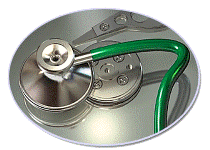
- Logical
- Interrupted Power Supply
- Corrupted Operating System
- Corrupted and wrong configured of Application
- Virus Infection Physical
-
- External
- Media Connector
- PCB Burnt
-
- Internal
- Bad Sector
- Disk Plate scratched
- Head (HSA) Crashed
- Gasket Crashed
- Spindle Motor stuck
Contact Us
Mandira Tech, 2nd Floor, Mahalaya Building, House No. 46, Lachit Nagar,
Guwahati,
Assam, PIN-
781007,
INDIA,
Phone:
+91 9864624185,
+91 8486024184,
E-mail:
customercare@mandiratech.com
